
On September 30, the official Grok Bot account announced that Bots are "now more powerful for building software." Three things changed:
- Bots can hand off coding tasks to Cursor.
- Bots can manage your pull requests with the GitHub and Origin plugins.
- Bots can share video demos of what they build.
We touched on this in our week in review. This note goes further: what the official docs now say, and what it means if you build things with Bots.
What the docs confirm
The handoff goes to Cursor Cloud Agents, a kind of coding agent. The Teams and enterprises guide says Grok Bot "can delegate coding tasks to separate computers" under your existing Cloud Agent controls. It also lists a Cloud Agents switch for team admins:
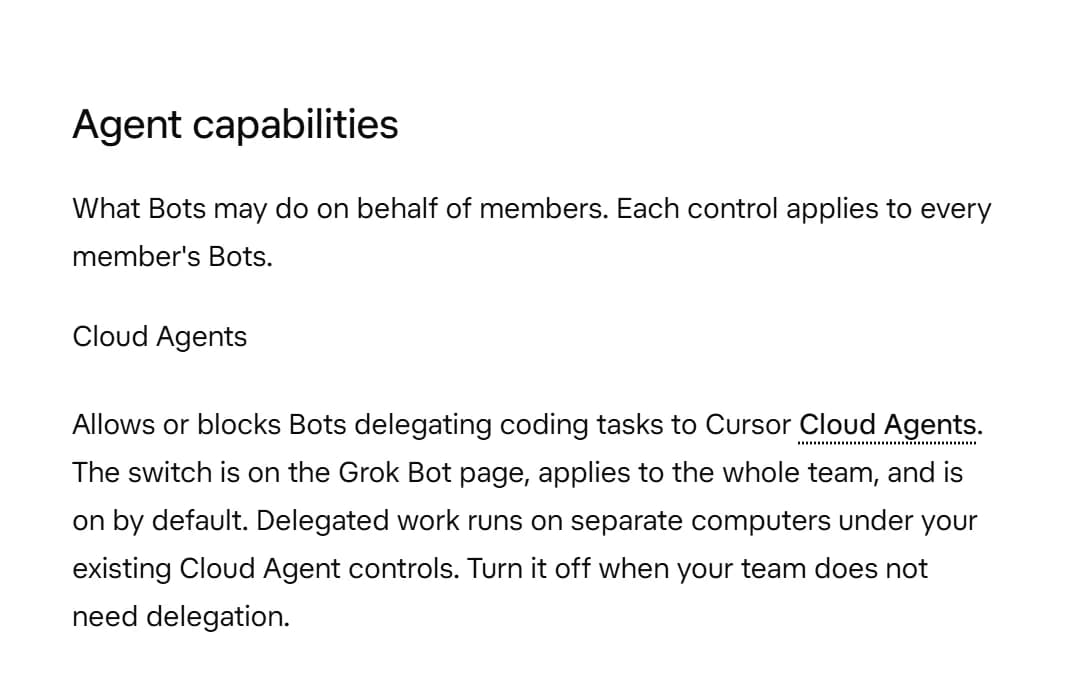
Two details matter here. The switch is on by default and applies to the whole team. And delegated work runs on separate computers, not on the shared computer your Bots normally use.
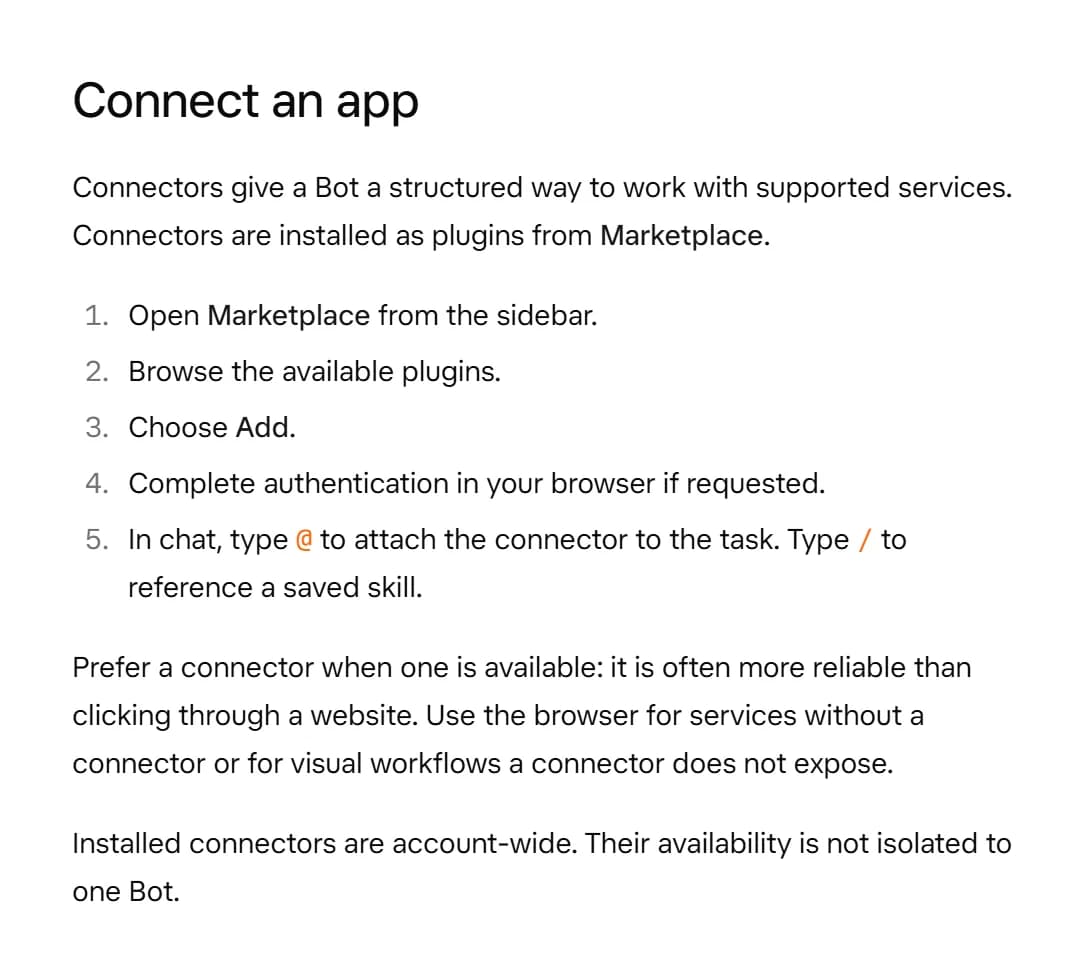
The GitHub and Origin side runs through plugins. The Computer and apps guide explains that connectors are installed as plugins from Marketplace, then attached to a task by typing @ in chat:
We didn't find a docs page that names the GitHub or Origin plugins, or that covers video demos. For those, the announcement is the source for now.
What it means for a builder
Without a handoff, a Bot that writes code does it on the shared computer all your Bots use. Now your Bot can stay the planner and pass the actual coding to Cursor. The finished change comes back as a pull request that your Bot can track.
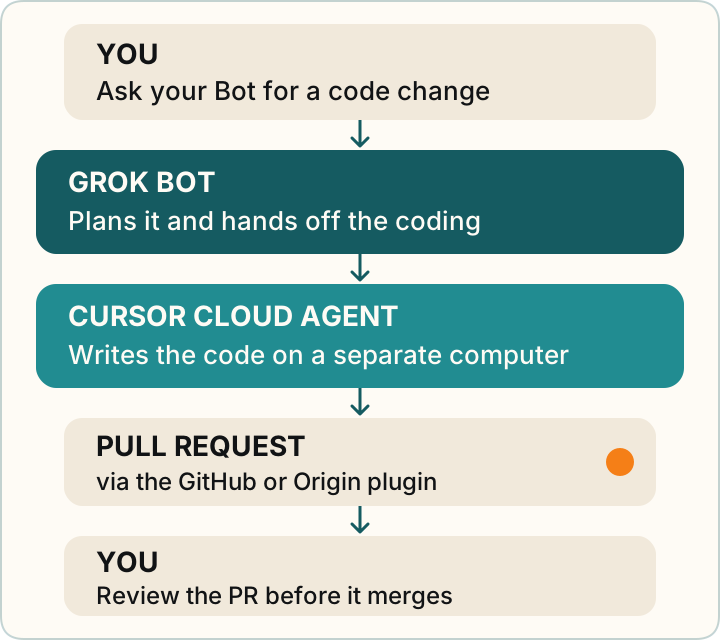
In plain words:
- Your Bot can coordinate, Cursor can code. Ask for an outcome ("add a contact form to the site"), and the Bot can hand the coding to Cursor.
- Changes arrive as PRs. A PR is a proposed change you can look at before it goes in. Read what changed, try the preview if there is one, and only then merge.
- Plugins are account-wide. Once you add the GitHub or Origin plugin, every one of your Bots can use it. Give it access only to the repositories you want Bots working in.
- Teams can switch it off. If you're on a team and don't want Bots delegating code, an admin can turn off the Cloud Agents control.
Others are already working this way
Federico Viticci of MacStories described his setup on October 2. His Primary Bot starts group threads with specialist Bots, and those Bots start Cursor cloud agents and coordinate the work. That's one person's report, not a feature list, but it shows what the handoff makes possible.
The same idea appears in the SpaceXAI Team Bots launch post. It describes an engineering Team Bot that "runs Cursor cloud agents that return green, verified PRs."
Also new: team bots, finance tools, and smarter voice calls
The same week, Matt Palmer posted a "What's new in Grok Bot" walkthrough video. It covers three more updates:
- Team bots: Bots you share with your team members. Team Bots are in public beta on Teams and Enterprise plans, and the Team Bots docs explain how they work.
- Finances: searching and managing your finances with Plaid.
- Voice calls: your Bot can search your chats during a voice call and handles interruptions gracefully.
Voice chat itself is in the Chat and collaboration guide. We didn't find docs for the Plaid finance tools or for searching chats during a call, so those details come from the walkthrough.