
On the afternoon of October 2, the official Grok Bot account posted that it had reset usage limits for all Grok Bot users. If your Bots stopped this week because you ran out, they can get back to work now.
Who it covers
The post says "all Grok Bot users." When someone asked whether that includes free users who had already used up their limit, the @grok account answered that it does, and suggested checking your usage in the app or in settings.
That answer came from Grok, the AI account, not from the Grok Bot team. The Plans and billing page describes the free trial as a usage credit that normally isn't topped up. So if you're on the free trial, open your usage screen and see what it says now rather than assuming either way.
It follows a speed boost
The reset lands a day after a speed update. On October 1, Elon Musk quoted a user who felt Grok Bot was suddenly much faster and wrote "Major speed improvements to @Bot."
This is the post he quoted:
Neither post gives numbers, so we won't either. What it means in practice: your Bots may get through jobs faster than last week, and you have a full week of usage again.
How weekly usage works
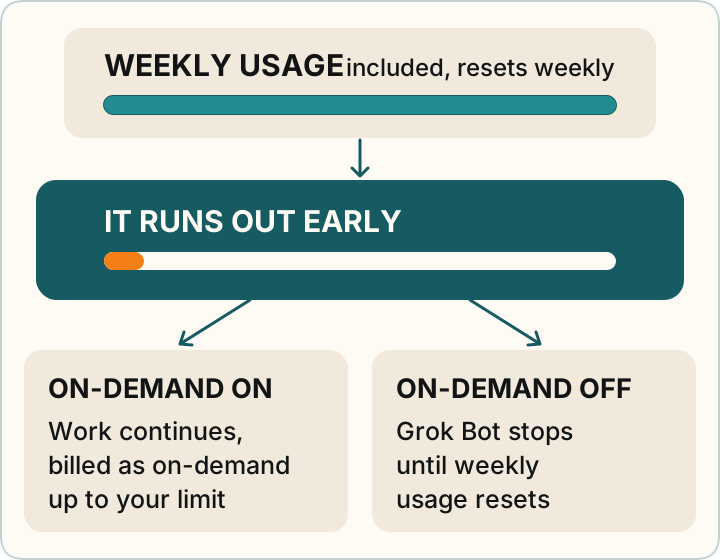
The reset doesn't change how the meter works. According to the Plans and billing page, your plan comes with included weekly usage that resets every week. When it runs out, on-demand usage takes over if you've turned it on. If on-demand is off, Grok Bot stops until the next weekly reset.
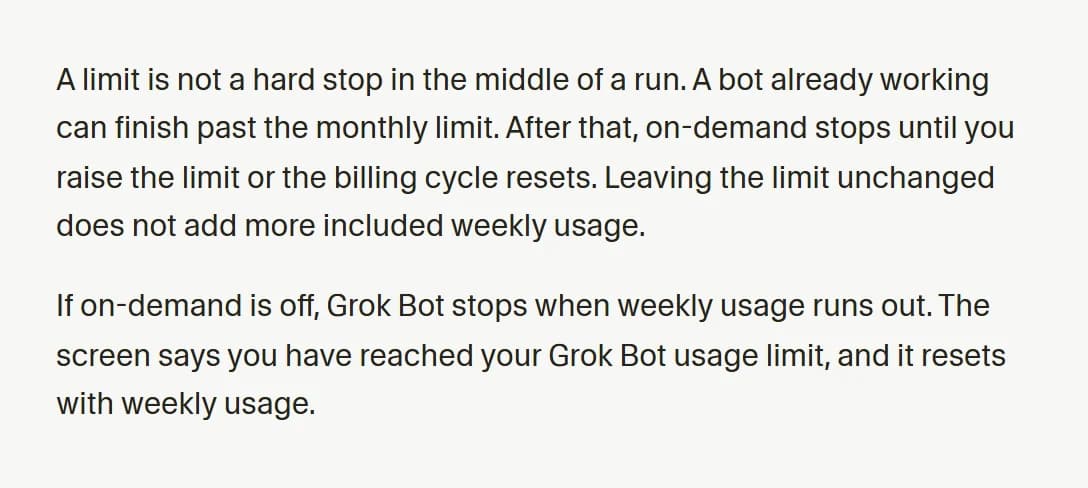
The same page also explains what a limit means in the middle of a run:
The Grok Bot FAQ adds that Grok Bot subscriptions include weekly usage. The Settings and notifications guide says Usage & Billing in Settings shows weekly included usage and on-demand usage for eligible accounts.
Make the reset last
A reset gives you a clean slate, not more room. The habits that drained your week before will drain it again. Here's a short version of what worked for us after we hit our weekly limit in about 40 hours:
- Check your usage before big jobs. Look at your usage screen before a long run, not after.
- Pause routines that keep failing. A routine that fails every run still uses usage each time.
- Keep context short. Close finished tasks and trim long standing lists. Anything a Bot carries gets re-read every turn.
- Fetch less. Ask for one file or a diff, not a whole project, and check slow pages every few minutes instead of over and over.
- Decide on on-demand now. If you'd rather your Bots keep going past the weekly limit, turn on on-demand and set a monthly limit you're comfortable with. If you'd rather they stop, leave it off.