
Learn


WalkthroughCoding & GitCompanion to Git
How to review a pull request when you do not write code
A pull request is a proposed change waiting for discussion and a decision. You can review its purpose and visible behavior without understanding every line of code. For changes to payments, permissions, or other sensitive behavior, also involve someone who can assess the implementation.
We will review a fictional bot's change to a plant-swap website: adding “10 a.m.” to the event heading. The request sounds small. A good review confirms that the actual change is equally focused.
1. Check the destination
Look for the source branch and the base branch, which will receive the change. In our example, add-start-time should merge into main. Your project may use a different destination. Ask the bot if the branch names do not match the agreed plan. [1]
Also ask whether merging triggers a public deployment. This depends on the project's automation, so the PR alone cannot answer it.
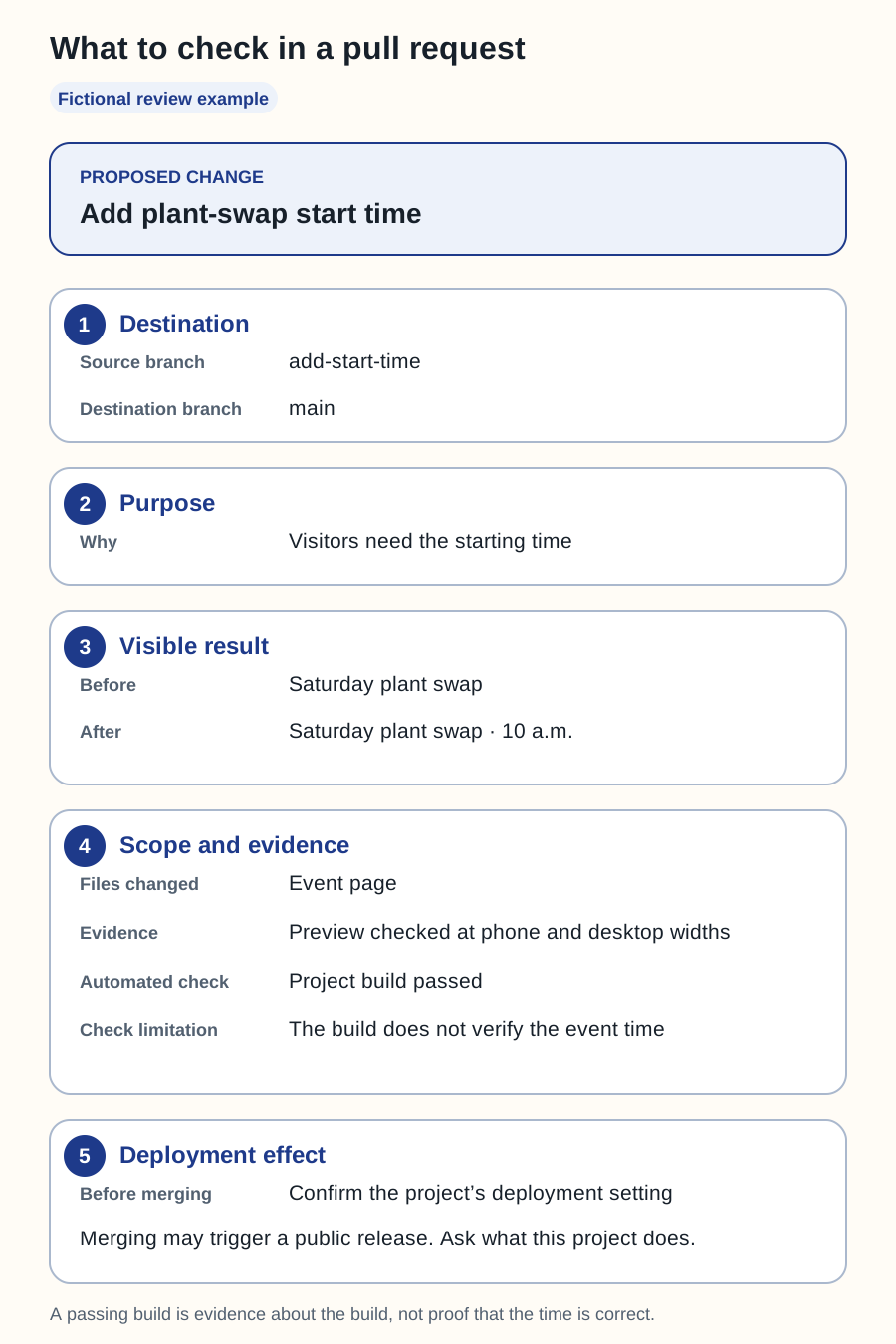
Swipe sideways to see the whole diagram, or open it full size.
Figure explanation: The proposed change adds the plant-swap starting time. The source branch is add-start-time and the destination is main. Visitors need to see when the event begins. The old heading says “Saturday plant swap”; the new heading adds “10 a.m.” The example changes the event page and reports a preview checked at phone and desktop widths. Its build passes, but that check cannot verify the event time. The reviewer must confirm the project's deployment setting before merging, because merging may trigger a public release. All shown details are fictional.
2. Read the explanation before the code
The bot's description should let you answer three questions:
- What problem does this solve? Visitors currently cannot see the starting time.
- What changed? The heading now says “Saturday plant swap · 10 a.m.”
- What evidence supports it? A preview, a phone-size screenshot, and the results of relevant checks.
“Various improvements” is too vague to assess. Ask for a concrete explanation and a list of any work left incomplete.
3. Try the result
Open the preview if the project provides one. Confirm it represents the latest proposed version. Check the page on a narrow screen. Is the time readable? Does the heading wrap sensibly? Can you still reach the directions?
For this small edit, those checks may be enough to assess the visible result. A new booking form needs a different review: entering data, handling errors, and confirming what gets stored or sent. Match the review to the behavior that changed.
4. Inspect the scope and check results
A diff shows what was added and removed. On GitHub, the changed-files view lets reviewers inspect these differences and leave comments. [2]
You may not understand the code, but you can ask why a heading edit also changes account permissions or introduces a new paid service. An unexpected file is a question to investigate, not automatic proof of a problem.
Read what each automated check actually tests. A successful build can show that the project builds; it cannot establish that the event time is correct. “All checks passed” is useful evidence only when you understand what those checks cover.
5. Decide and verify
GitHub reviews can leave a comment, approve, or request changes. Repository rules affect which reviews and checks are required before merging. [3]
A useful request for a fix is: “At phone width, the time breaks onto three lines. Please show an updated preview after fixing that.” Review the updated work, including any additional files changed.
After an authorized merge and deployment, verify the public page separately. Keep the deployment result with the change record. If it still shows the old heading, ask the bot to investigate the deployed version and caching before making unrelated edits.
A review prompt to reuse
Explain this PR in plain English: its purpose, source and destination branches, changed files, preview, checks and their limits, remaining issues, and deployment effect. Point out anything outside my request. Give me enough evidence to decide whether to accept it.Need the surrounding steps? Read Git explained. If the change cannot merge cleanly, read conflicts and undoing mistakes.
Sources
All sources checked September 25, 2026. The review scenario and questions are original editorial guidance.