

GuideGrok BotCompanion to Build a bot team that ships
Seats, not chatbots
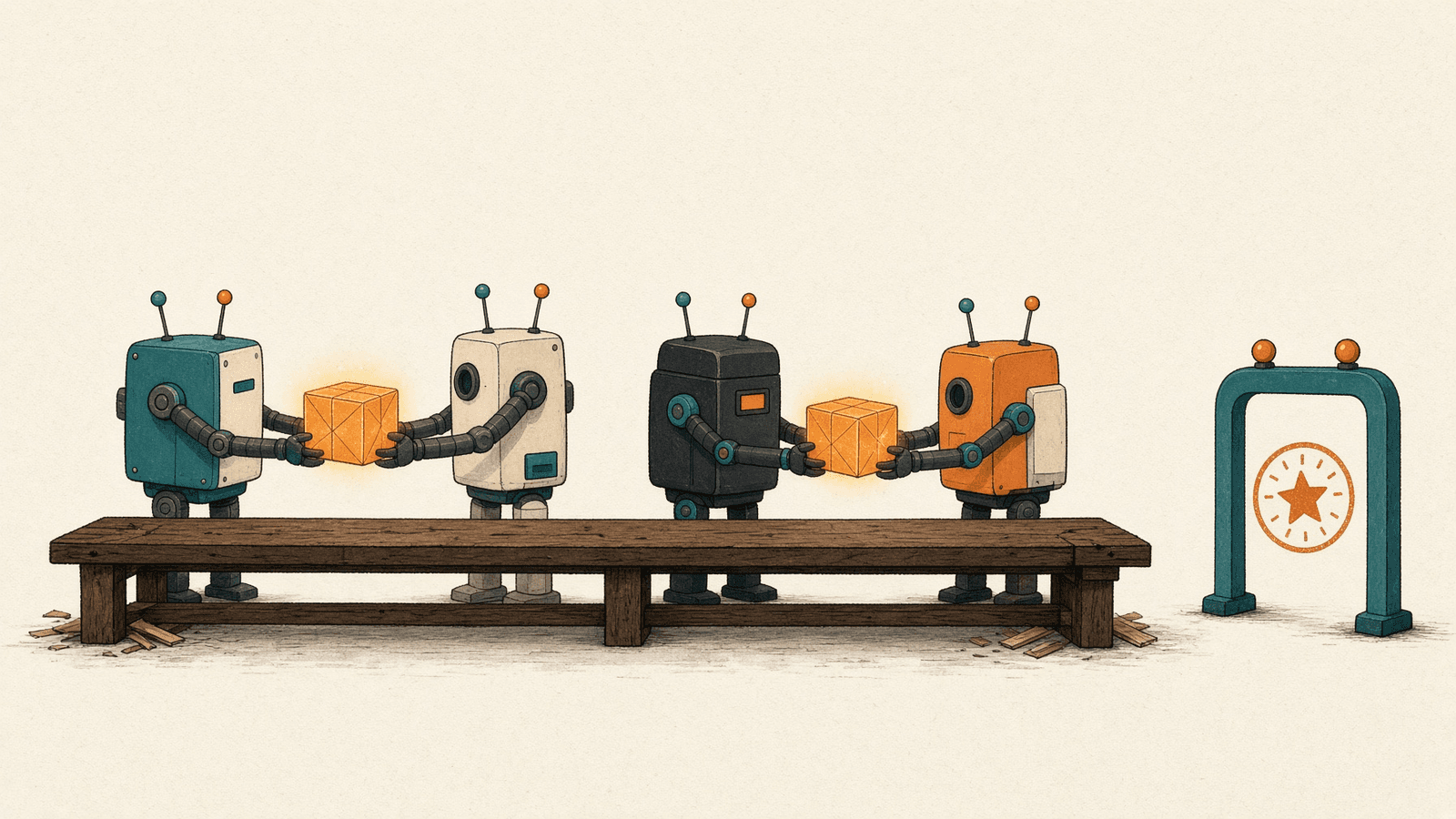
Part 1 of Build a bot team that actually ships.
TL;DR
- Give each bot one seat: a named job, an outcome it owns end to end, the sources it works from, and a list of things it never does.
- xAI's Rank'em guide writes seats as job descriptions. Its results (15x cost per install, 4x D7 retention) are one studio's numbers, not a promise.
- Current Grok Bot docs say to tell a personal Bot its lasting rules "and ask it to remember". The separate description field is documented for Team Bots.
- All your bots share one computer but not memory. A seat limits the job, not the access.
About this series
Adding more bots isn't a plan. Over four parts, this series takes two Official xAI case studies and the sharpest community critique of multi-bot setups and turns them into four habits:
- Seats: give each bot one job, written down (this part).
- Handoffs: pass work between bots in a way that can't loop forever. Part 2
- Approval gates: put a person in front of anything that can't be undone. Part 3
- When not to add a bot: the test every new bot should pass. Part 4
A note on sources. Some viral posts this week retold these xAI guides with extra framing, such as claims that xAI pays engineers $750K+ (@distortgeekin) or showed its setups to MIT students (@Solomonrojie). We didn't find those claims in xAI's pages, so we cite xAI directly and leave them out. [6][7]
1. The Rank'em studio
xAI's guide on mobile app development describes a small game studio, Rank'em, run by six bots. The author, Ryan Perry, wrote each bot's role out "as job descriptions, the way a studio would, and handed one to each bot." Each bot had its own job, its own screen to work on, and its own overnight task, so the work was ready in the morning. One bot, the Mobile Orchestrator, acts as the manager. [1]
@tibor_tee shared the guide on X with a fair one-line summary: one game studio, six bots, each with its own job and computer.
The detail worth copying is how the seats are written. Here's the start of the analytics bot's job description, quoted from the guide:
You are the analytics and user acquisition seat for Rank'em, a mobile game studio run by six bots. You own paid acquisition end to end. ... You are the only bot allowed to declare a finding. You never write creative and you never touch app code.
That short passage does four things. It names the seat. It says what the seat owns ("end to end"). It gives the seat a power no one else has (only it declares findings). And it says what the seat never does. That last part matters most once you have more than one bot, because it's what stops two bots from doing the same job differently.
2. The results, as the guide states them
The guide reports two wins it traces directly to the bots: "a 15x improvement in cost per install and a 4x improvement in D7 retention." Specifically, the bots swapped a party-game ad for a partner-game ad after the data showed people were playing as couples, which took installs "from $15 to $1." And they shipped a hint feature after finding that higher scores went with better retention, which improved D7 retention "by about 4x." [1]
These are one studio's results, reported by the studio. They're a strong example, not a promise. What carries over to your setup isn't the 15x. It's the loop: one seat reads the data, another changes the product, and each stays in its lane.
3. How to write a seat
@silentguyy66 made the same point from the community side, in an Oct 10 article: "Almost everyone puts a job title in it". The next line: "That is why you keep repeating yourself". The article's fix is to "Write a contract, not a title".
That is why you keep repeating yourself
Where the seat lives today. That article talks about the bot's description field. The current docs (checked Oct 24) no longer tell you to put rules there. For a personal Bot, they say that when you find "a durable preference, boundary, or responsibility that should shape future work, tell the Bot and ask it to remember." [3] A separate 140-character description is documented for Team Bots, as what teammates read when they find the Bot. So treat the seat below as the bot's standing instructions: send it as your first message to a new bot and ask the bot to remember it.
Here's a four-part template that follows the Rank'em pattern. The wording is Botski's own.
Seat: You are the [name] seat for [team or project].
Owns: You own [outcome] end to end. You're the only bot that [one decision or action only this seat makes].
Sources: You work from [the data, files, accounts, or sites this seat reads].
Never: You never [the jobs that belong to other seats]. If a task belongs to another seat, hand it off instead of doing it.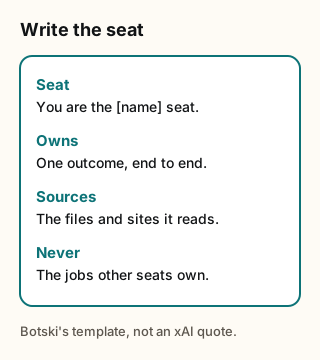
Figure explanation: One card with four lines, in Botski's own wording, following the pattern in xAI's Rank'em guide. Seat names the job. Owns is one outcome, end to end. Sources are the data, files, accounts, or sites the seat reads. Never lists the jobs that belong to other seats. The diagram is a template, not a quote from xAI.
Some practical notes:
- Write outcomes, not activities. Owns paid acquisition is a job. Helps with marketing is a mood.
- One deciding power per seat. If two bots can both declare that something is true, sooner or later they'll disagree, and you'll be the tiebreaker.
- Write the Never list first. It's easier to agree on what a seat shouldn't touch than on everything it should.
- Fix the standing instructions, not just the chat. When you correct a bot twice for the same thing, ask it to remember the corrected rule so it sticks.
4. What bots share, and what they don't
Before splitting work across seats, know how bots on one account relate to each other. From the Official docs: [2]
- One computer. "All of your Bots use the same cloud computer, sharing its files, browser sessions, and app logins, which makes handoffs work without repeating setup." The docs add that the computer belongs to your account, not to a single bot, "so treat anything placed on it as available to every Bot you run".
- Separate screens. Each bot gets its own screen on that shared computer and runs one computer-use task at a time.
- Separate memory. "Conversations and learned context stay separate per Bot, while shared files, browser sessions, and direct handoffs move context between them."
Two consequences for seat design. First, a seat boundary is a boundary of job, not of access. If one bot is signed in somewhere, assume the others can reach it too, and write the Never lines accordingly. Second, since memory doesn't cross between bots, anything a seat needs from another seat has to travel as a file or a handoff. That's the subject of Part 2.
5. What this means for you
- List your bots and write one sentence per bot: the outcome it owns. If you can't, that bot has no seat yet.
- Fill in the four-part seat for each one. Start with Never.
- Send it as standing instructions. Paste the seat into the bot's chat and ask it to remember it. For a Team Bot, also put a one-line summary in the description under About.
- Check for overlap. If two seats own the same outcome or the same deciding power, merge them or pick one.
- Test it. Ask each bot to do a job that belongs to another seat. A good seat hands it off instead of doing it.
6. Tradeoffs and caveats
- Memory isn't a lock. A remembered rule shapes behavior. It doesn't stop an action. Back rules about sending, paying or deleting with approvals (Part 3).
- Seats add handoffs. Every split creates a place where context can get lost. Part 2 covers that cost, and Part 4 covers when not to split.
- The results don't transfer. Rank'em's numbers come from one studio's data. The habit transfers; the 15x doesn't.
- Community wording lags the docs. Posts written before mid-October describe the description field as the place for rules. Check the date before copying a method.
Next step: Look for seat-based team templates in the Botski directory, and read each one's Never lines before you add it.
Credits
Checked Oct 24, 2026. Community posts are the writers' own reports, quoted where the words are theirs.
- Grok Bot for mobile app development, Ryan Perry
- Grok Bot docs
- Grok Bot docs: Bots
- @tibor_tee
- @silentguyy66
- @distortgeekin (cited only as hype framing left out)
- @Solomonrojie (cited only as hype framing left out)
Start from a template
People share Grok Bots you can add and then change to fit your job. Each template opens on x.ai. bot.ski never installs anything.