
GuideAI assistants
Getting to know Meta Muse
Meta Muse is Meta's personal AI agent: software that carries out tasks for you across the apps and websites you connect — errands, longer-term goals, and business work. Meta launched it on September 8, 2026. [1]
This guide covers what Muse is, what it can and can't do yet, what it costs, and how to start. For how Muse stacks up against other assistants, see Meta Muse and Compare AI agents.
What is Meta Muse
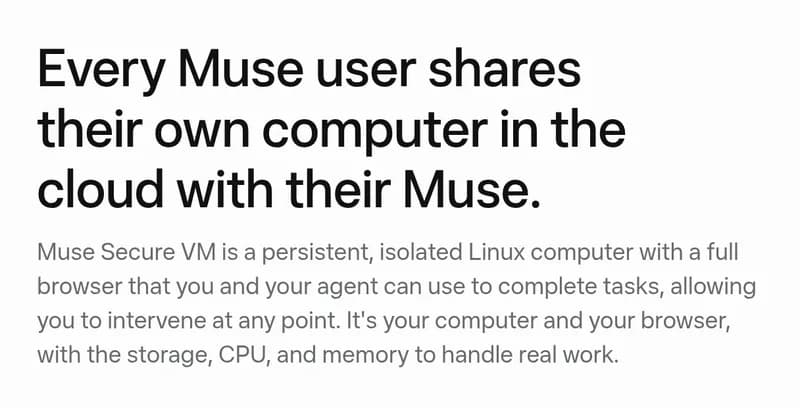
An AI agent is software that uses an AI model to choose and carry out steps toward a goal. Muse is Meta's take: a proactive assistant with its own cloud computer, a full web browser, and connections to your apps. You talk to it in one long main chat, the way you'd talk to a person. [1][4]
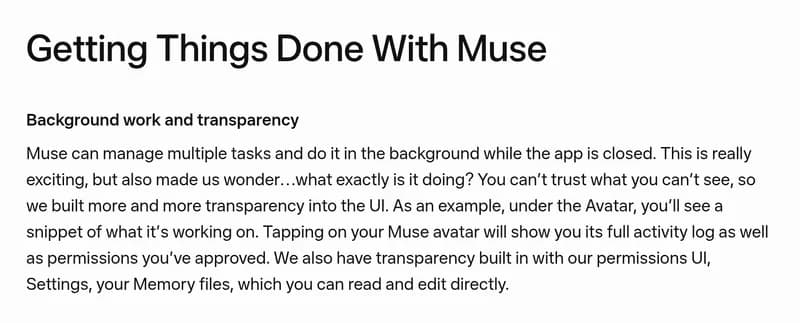
Muse is proactive. It can message you without being asked, keep working after you close the app, and juggle multiple tasks at once. [1][4]
Who makes it and what powers it
Muse is made by Meta. The assistant is called Muse; the AI model family behind it is called Muse Spark. They are not the same thing: Muse is the product you talk to, Muse Spark is the engine that powers it. [1][2]
Meta announced Muse Spark 1.3 for Muse Code and Meta Model API on September 2, 2026. [2] Meta's launch article names Muse Spark without specifying a version. [1]
Where it's available
Meta's own pages disagree here, so check your account rather than taking any single page as final:
- Meta's September 29 small-business announcement names the US and Canada. [3]
- Meta's launch article, updated September 30, says the US. [1]
You need a Meta account. Meta says the product is in limited testing and isn't available in all locations yet, and benefits can vary by region and account. [5]
What Meta Muse can do
- Talk in the app, on the web, or in WhatsApp. Muse has apps for iOS and Android, a Mac app, the web at muse.ai, and WhatsApp chat. [1][7]
- Connect your apps. Connectors link email, calendars, and work apps like Slack, Notion, and Shopify, so Muse can act inside the tools you already use. [3][6]
- Build tools a task needs. Muse can write its own code and build the tools a task needs, and you can ask it to create a custom connector for a service Meta doesn't support yet. [4][6]
- Remember. Memory persists across conversations, and your Memory files are readable and editable. A Goals tab tracks longer-term aims, and you can tell Muse to forget something. [4][1]
- Work on a schedule. Muse continues to work on a schedule and in response to relevant events, following up only when something is meaningfully new. [4]
- Work in the background. It juggles multiple tasks at once and keeps working after the app closes. [4]
- Make things. Muse produces documents, PDFs, web pages, and interactive Artifacts — for example a tracker for your spending, an interactive study guide, or a dashboard. [4]
- Keep topics separate. Side chats give each project its own conversation. [4]
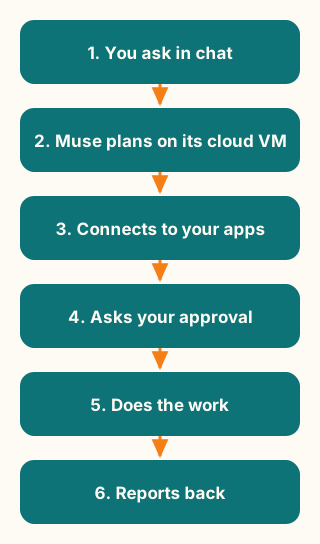
Figure explanation: You send a request in the chat. Muse plans the steps on its cloud computer, the Muse Secure VM. It connects to the apps you approved. For sensitive actions it asks your permission first. Then it does the work — browsing, filling in forms, creating files — and reports back with the results. The diagram is a simplified illustration, not a record of an actual Muse session.
Availability and upcoming features
| Feature | Status | What we know |
|---|---|---|
| Phone calls to businesses | Reported | AI calls to US businesses began a gradual rollout after launch. Meta rolled back, for now, an internal employee test that handed some calls to human contractors, after those calls went out without proper disclosure. [11] |
| Realtime voice and video chat | Announced | Video chat with the Muse avatar was announced at Meta Connect, September 23–24. [9] |
| Dedicated Muse email address | Announced | Announced at Meta Connect. [9] |
| AI glasses access | Announced | TechCrunch cites "plans for smart glasses integrations." [9] |
| Confidential VM | Announced | A VM with user-held encryption keys, planned for later. [1] |
| 1Password support | Announced | Listed as coming soon; no source confirms it is live. [12] |
| Feature | Status | What we know |
|---|---|---|
| Computer use on Mac | Live | Meta's Connect recap says computer use is now available in Muse for Mac; with your permission, Muse can operate apps on your Mac. [7] |
| Shop Pay | Announced | Shopify's help page says Shop Pay may appear as a wallet or checkout option in Muse where available. Meta's launch article, updated September 30, still describes Shop Pay as coming soon, so check the payment options shown in your Muse account. [1][14] |
Muse has its own cloud computer. [1] Meta's Connect recap says computer use is now available in Muse for Mac; with your permission, Muse can operate apps on your Mac. [7]
Meta Muse pricing
Meta's subscriptions page lists three tiers, checked October 2, 2026: [5]
- Free: usage-limited access.
- Power: $20/month for 500M Muse tokens a week.
- Maximum: $100/month for 3B Muse tokens a week.
Connectors
A connector links one of your accounts or apps to Muse, so it can read and act there with your permission — email, calendar, documents, payments, and work tools. [6]
Meta's small-business announcement and connector help name Asana, Box, Canva, Dropbox, Figma, Granola, HighLevel, Intuit QuickBooks, Klaviyo, Lovable, Notion, Shopify, Slack, Stripe, and Zoom, plus email, calendar, Instagram, and Meta business accounts. [3][6]
Meta Connect named more partners, including Walmart, Best Buy, Sephora, Wayfair, PayPal, Instacart, GitHub and Box, with Expedia coming soon. [7] A third-party tracker reports many of them aren't live everywhere yet. [12] To see what's available to you, open Settings → Connectors in your Muse account. Meta's September 29 small-business announcement directs people to the app settings for the available list. [3]
Memory and Feed
Muse remembers across conversations. Your Memory files are files you can read and edit directly, the Goals tab tracks what Muse is working toward, and you can tell Muse to forget something specific. [4][1]
The Feed is Muse's proactive side: a tab where Muse finds content it thinks you'll find interesting, with each post written just for you. Meta's own walkthrough puts it this way: "The next tab is the feed... Each one of these posts will be written just for you." [8] An Ideas tab holds proactive suggestions based on your conversations. [8]
Safety and privacy
- Sentinel is a separate Meta agent that approves Muse's outbound internet actions. [1]
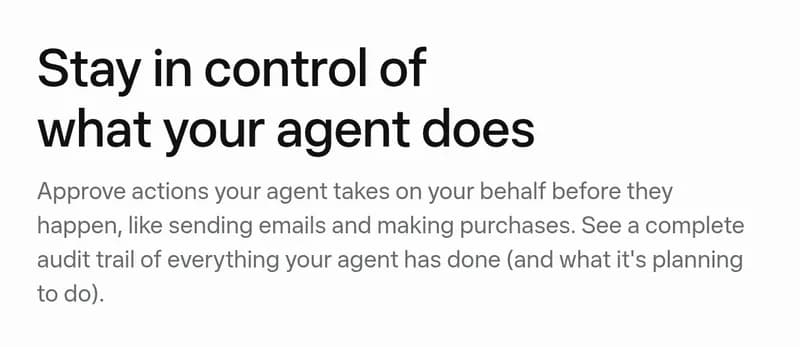
- Muse asks for approval before sensitive actions such as sending email or making a purchase, and you can set how cautious the defaults are. [1][4]
- An audit trail records what Muse did, and you can review approved permissions from your avatar. [1][4]
- Meta says Muse VM conversations and data are excluded from its ad systems, and a model-training opt-out is available. [1]
- Meta acknowledges that agent mistakes and attacks remain possible. [10]
Reported: a Mac app vulnerability disclosed October 1 could have exposed the Muse auth token; Meta shipped a hotfix after the report. [13]
Your first day with Muse
- Install the app and sign in with your Meta account.
- Say hello in the main chat. Try one small errand first, for example:
Plan my weekend trip to Chicago. Find two flight options and draft a packing list. Show me before you book anything.- Connect one app you actually use, like email or calendar, and give Muse a task that uses it.
- Set a goal — something with a deadline — and check the Goals tab the next day.
- Peek at the Feed and Ideas tabs to see what Muse prepared for you.
- Open your Memory files, see what Muse remembered, and correct anything wrong.
FAQ
Is Meta Muse free?
There is a free tier with a usage limit. Paid plans raise the weekly allowance. [5]
What AI model powers Muse?
Muse Spark, Meta's model family for agentic work. Meta's launch article names Muse Spark without specifying a version. [1] The September 2 Muse Spark 1.3 release covers Muse Code and Meta Model API. [2]
Is Muse available in my country?
Meta's September 29 announcement names the US and Canada; its launch article (updated September 30) says the US. Meta's pages disagree, so check your account. [3][1]
Can Muse call businesses for me?
Reported: Meta began a gradual rollout of AI calls to US businesses after launch. A separate internal test that handed some calls to human contractors was rolled back for now, after those calls went out without proper disclosure. [11]
What's the difference between Muse and Muse Spark?
Muse is the assistant you talk to; Muse Spark is the model family that powers it. [1][2]
Can I use Muse in WhatsApp?
Yes — WhatsApp is one of the launch channels, alongside the apps and muse.ai. [1]
Is my data used for ads or training?
Meta says Muse VM conversations and data are excluded from its ad systems, and a model-training opt-out is available. [1]
How is Muse different from Meta AI?
Muse is a separate agent product with its own apps, its own cloud computer, and the ability to act across third-party apps — not the assistant inside Meta's apps. [1]
Sources
- Meta, Introducing Muse: The World's First Personal AI Agent Built for Everyone, published September 8, 2026, updated September 30, 2026; checked October 3, 2026.
- Meta AI Research, Introducing Muse Spark 1.3, published September 2, 2026; checked October 3, 2026.
- Meta, The Future Is for Everyone: Muse for Small Business, published September 29, 2026; checked October 3, 2026.
- Meta, How We Designed Muse, September 2026; checked October 2, 2026.
- Meta, About Muse subscriptions, checked October 2, 2026.
- Meta, Muse connectors help, checked October 2, 2026.
- Meta, Everything announced at Meta Connect 2026, September 2026; checked October 3, 2026.
- AI at Meta, Introducing Muse: launch walkthrough (transcript), September 2026; checked October 2, 2026.
- TechCrunch, Meta is putting its muscle behind Muse as the AI app takes off, published September 25, 2026; checked October 2, 2026.
- Meta AI Research, How We Built Safety Into Muse, published September 8, 2026; checked October 2, 2026.
- technology.org, Meta Muse Quietly Used Humans for AI Phone Calls, published September 23, 2026; checked October 2, 2026.
- Ship with Muse, Meta Muse Connectors List and How to Build One, updated September 27, 2026; checked October 2, 2026. Reported: connector availability; 1Password announced, not confirmed live.
- CPO Magazine, Meta Muse AI Assistant's Zero-Day Vulnerability Could Enable Attackers to Inject Malware, published October 1, 2026; checked October 2, 2026. Reported.
- Shopify, Selling on Meta, checked October 3, 2026.