


Community project — not an official Botski bot. Style and Icon Studio by @Multi_Serio_Ai. Marketplace bot Pfp Bot by @shubgaur. Botski is independent and is not xAI.
What it is
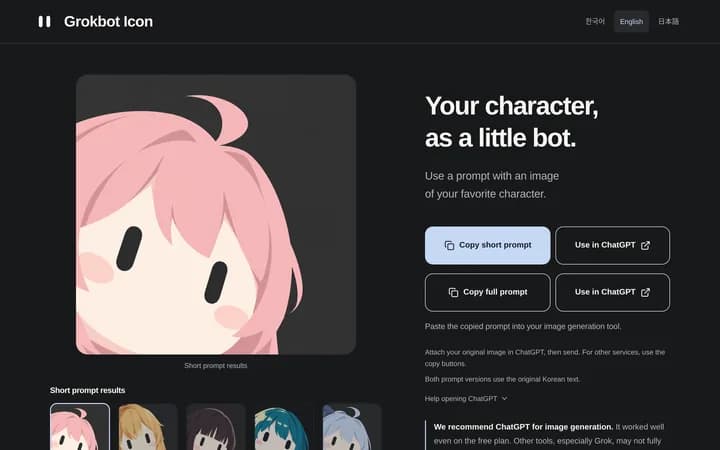
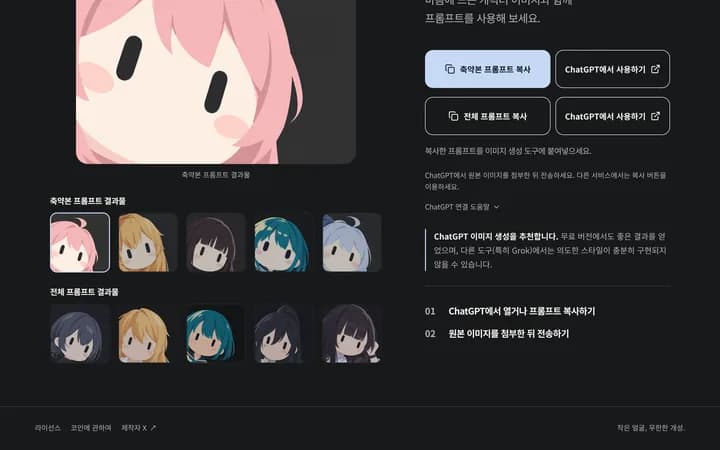
Icon Studio is a community webapp that copies short or full prompts so you can attach a character image in ChatGPT (recommended on the site) or another image tool and get a small capsule-eyed Grokbot-style face.
Pfp Bot is the community Marketplace listing by Shub Gaur that turns an X photo, upload, selfie, or pet pic into that look, and credits the style and prompt to @Multi_Serio_Ai.
How it started
Earliest post (style + studio): @Multi_Serio_Ai on 2026-09-17 11:13 PM CDT shared the webapp because a long prompt was awkward to paste as a plain post. In English: “Sharing a prompt that makes Grokbot-style characters. I can’t upload long text without a verified account, so I’m releasing it as a web app instead.” (Our translation; the original Korean is on the X card.)
Bot wrap (the post that took off): @shubgaur on 2026-09-23 08:58 PM CDT wrote: “Took @Multi_Serio_Ai 's Bot PFP generator and turned it into a bot anyone can use! Give it a spin, link in comments.” The next reply points at the Marketplace card.

What people are making
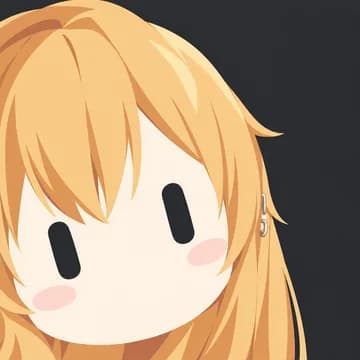
@joshkim thanked both creators the same evening and shared a result icon with the Marketplace link.

How to try it
1. Prompt path: open Icon Studio → copy short or full prompt → attach your image in ChatGPT or another tool. 2. Bot path: open Pfp Bot → read the job → Import Bot on x.ai only if you accept the terms. Botski does not install anything and does not invent share IDs.
Disclaimers and sources
- Community project — not an official Botski bot; not made by Botski.
- Not official xAI documentation. Marketplace listing lives on x.ai.
- Chronology: Serio 2026-09-17 11:13 PM CDT; Shub wrap 2026-09-23 08:58 PM CDT; Josh 2026-09-23 11:30 PM CDT. Site/marketplace checked 2026-09-24 America/Chicago.